Ultimate Mouse Lite download for android 14 (Upside Down Cake)
APK file Mouse Lite 2.7.0 compatible with Android 14How to install APK / APKS / OBB file on Android
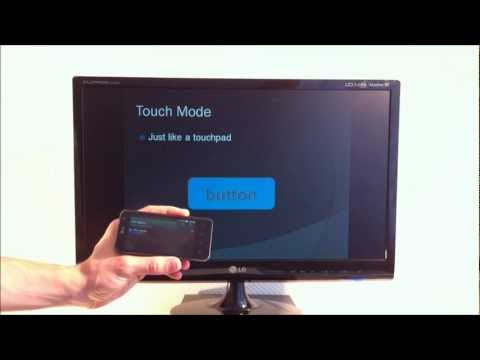

The BEST way to take control of your computer's mouse and keyboard wirelessly through wifi or bluetooth. Install the Ultimate Control Receiver program on your computer (PC, Mac or Linux) and select it from the list displayed on your phone.
In the "touch mode" the screen works as a touchpad. And thanks to the built in gestures, you can scroll, click by tapping or right-click performing a long press.
The "pointer mode" allows you to move your mouse by moving your phones in the air, similar to the Wii remote. This option is only available for phones with gyroscope capabilities (nexus s, galaxy S2, galaxy nexus, optimus 2x...)
Enjoy the Ultimate Control experience!
*download the receiver program from "www.negusoft.com/ucontrol"
**This is the ad supported versión of the "Ultimate Mouse" app
- LicenseFree
- File nameMouse Lite
- File Version2.7.0
- Package namecom.negusoft.ucontrol
- Size4.46 MB
- UploadedDecember 11, 2023
- Android5.0 or later
- CategoryTools
- DeveloperNegusoft
- Developer site
- Developer emailinfo@negusoft.com
- md5 hashaab843d745a403195b54ce3c3b143158
- Architecture-
- Permissionsshow (7)